
Generating Images
The web Create composer shows an advisory peak-VRAM estimate for the selected machine before you submit. Video models expose their supported camera-motion controls under Advanced, and a long clip remains attached after a page reload so its server-side progress does not disappear from the workspace. A clip longer than one render is split into clips on the machine and stitched back into one video; a two-stage dev checkpoint renders each of those clips through the two-stage pipeline, so expect roughly twice the wall time per clip as a distilled one.
On phone-sized web views, Create keeps every interactive target at least 44px high and editable fields at a zoom-safe 16px.
While a print renders, the web canvas develops it live: for families that stream latent previews (FLUX.1, Flux.2, Z-Image) the forming image appears under the film-grain wash, its blur tightening step by step while the grain thins away, on a bed matching the print's aspect ratio. The progress ring and stage line cover the bed only until the first preview arrives. Once a run completes, the Seed section offers lock last (seed) to pin that print's seed for the next generate.
Editing long prompts
Choose Edit prompt in the composer for a spacious editor on native Mac/iOS, web and Tauri desktop/mobile. Keep typing short prompts directly in the compact field, or use the editor for long text and selection. Edits stay in the current draft on Done or dismissal. Recent prompts lets you search and reuse text without replacing generation settings; Clear has an immediate Undo clear. The editor keeps Return and arrow keys for writing rather than submitting a render.
Basic Usage
# Default model (flux2-klein:q8: fast 4-step, Apache 2.0, fully ungated)
mold run "a red apple on a wooden table"

# Explicit model selection
mold run flux-dev:q4 "a photorealistic landscape at golden hour"

# Custom output path
mold run "cyberpunk cityscape" -o cityscape.png

# Reproducible output (same seed = same image)
mold run "a cat" --seed 42

# Custom dimensions (multiples of 16)
# See each model's recommended dimensions to avoid warnings
mold run "a banner" --width 1024 --height 512

# Batch generation (multiple images with incrementing seeds)
mold run "abstract art" --batch 4 --seed 100

# JPEG output
mold run "a sunset" --format jpeg -o sunset.jpg
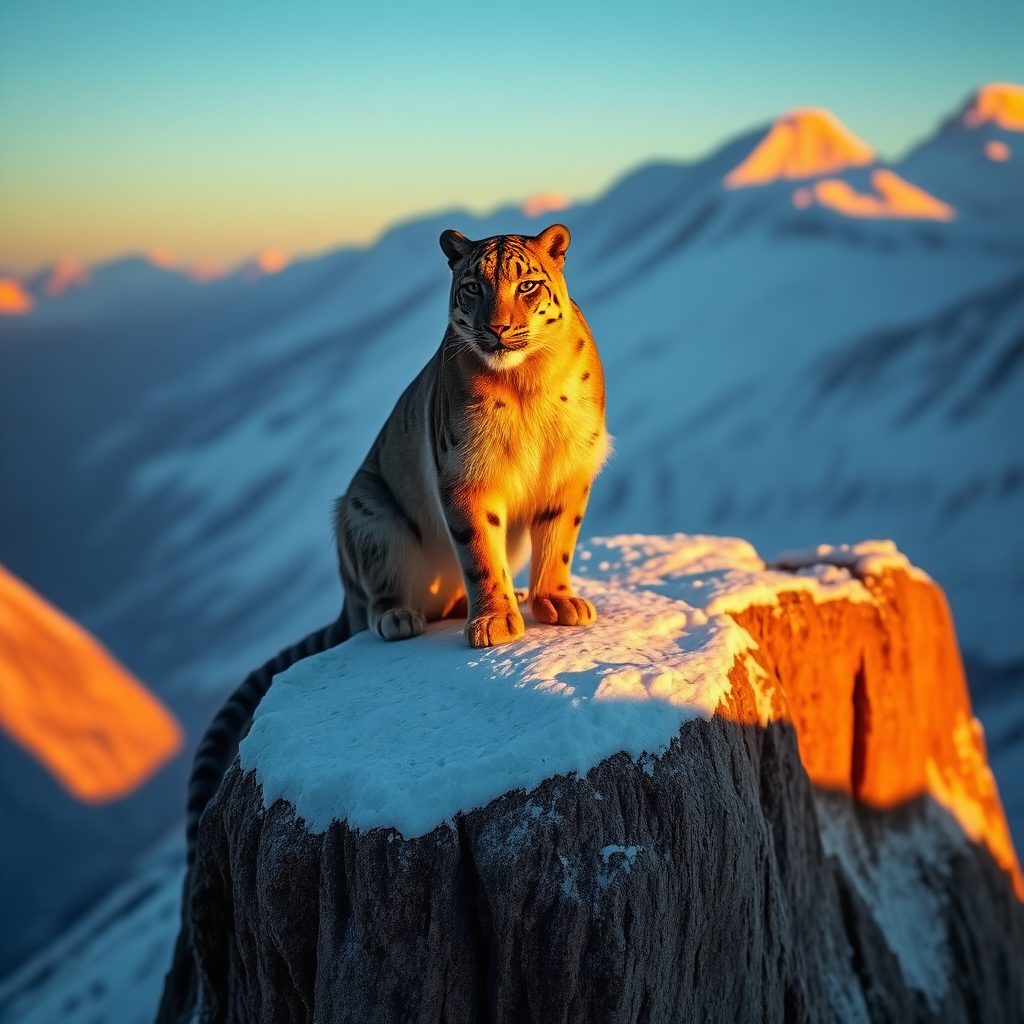
Here's what that looks like: FLUX Schnell Q8, seed 42.
Need a quick answer on family capabilities or expected speed? See Feature Support and Performance.
Recommended Dimensions
Each model family has a set of recommended dimensions that produce the best results. Using non-recommended dimensions will trigger a warning (generation still proceeds). Image families use a 16px grid; LTX Video, LTX-2, MiniMax H3, and wan22-ti2v-5b use 32px.
# Square (works with all families)
mold run "a cat" --width 1024 --height 1024

# Landscape (FLUX, Flux.2 Klein)
mold run flux2-klein "a panorama" --width 1024 --height 576

# Portrait (SDXL, SD 3.5, Qwen-Image)
mold run sdxl-turbo "a portrait" --width 832 --height 1216
See each model family page for the full list of recommended dimensions and aspect ratios.
Image Editing
qwen-image-edit-2511:* is a distinct edit family, not standard img2img. It uses one or more ordered --image inputs, supports negative prompts, and derives default output dimensions from the first input image when you omit --width and --height.
# Single-image edit
mold run qwen-image-edit-2511:q4 \
  --image ./chair.png \
  "turn this fabric chair into dark red leather"

# Multi-image edit
mold run qwen-image-edit-2511:q4 \
  --image ./chair.png \
  --image ./swatch.png \
  "make Picture 1 match the leather color and finish from Picture 2"
Use regular img2img families when you need --strength-based denoising. Use qwen-image-edit when you want instruction-following edits against one or more reference images.
FLUX.2 Dev has a different native reference workflow. It accepts up to four ordered PNG/JPEG inputs, but it is not strength-based img2img: masks, ControlNet, request-time LoRA, and referenced batches are rejected.
mold run flux2-dev:bf16 \
  --image subject.png --image lighting-reference.jpg \
  "preserve Picture 1 and use the lighting from Picture 2"
See Flux.2 for the gated checkpoint and runtime requirements.
Qwen Image 2.1 edits and composes from up to ten ordered references (PNG, JPEG or WebP) with no special target image; name each by position in the prompt. With no --width/--height, the output takes the last reference's upright aspect ratio (EXIF orientation applied) at a 1024×1024 area.
mold run qwen-image-2.1 --image jacket.png --image person.jpg \
  "put the jacket from image 1 on the person in image 2"
See Qwen Image 2.1 for its tiers, turbo, and the non-commercial Qwen Research License.
Transparent Backgrounds
Models that advertise capabilities.transparency — today Qwen Image 2.1 — can render a subject as a cut-out on a transparent background. Turn on Transparent background in Create, or pass --transparent:
mold run qwen-image-2.1 "a red paper lantern with a gold tassel" --transparent -o lantern.pngDescribe the subject alone, with no scenery. The prompt you typed is what is stored; the model's RGBA wording is added by the engine. Alpha needs PNG or WebP, so a JPEG choice is refused (the apps switch it to PNG). Transparent prints are drawn over a checkerboard in the Library, the lightbox, and the result canvas on web, desktop, and mobile, and record has_alpha in their metadata.
Output Formats
Stills are PNG by default. --format jpeg and --format webp (or an -o path ending in .jpg / .webp) are available for every image model; WebP needs a build with the webp feature, which every release build has. A WebP still is a single lossy frame with lossless alpha, not an animation. PNG and WebP keep an alpha channel; JPEG cannot.
In Mold Studio, Qwen Image Edit uses the same Target image well as other source-driven models on web, desktop, and iPhone. Its ordered picture strip still adds and reorders References, while the Target offers contain, crop, Lanczos resize, and upscale-and-fit controls and automatically follows the model's 1 MP source ceiling. Other source-image families also show a strength slider plus all five fit policies; labelled Denoise strength for SD-lineage img2img (higher = more change) and Source strength for LTX-2 image-to-video (higher keeps more of the source; 1.0 pins the opening frame); SD1.5 also suggests installed ControlNet checkpoints while allowing a custom checkpoint name.
On a phone, Create follows one vertical workflow: prompt and style, model and core controls, Generate, the developing/result canvas, then recent prints. Advanced options remain in the mobile sheet so the primary flow stays compact.
A clip longer than the checkpoint renders in one pass is not something you compose: ask for the duration you want and the machine splits the work, carries the motion across each seam, and stitches the result. It arrives as one video, one Library entry, and one row in the activity strip, whose progress line names the part it is on. On a multi-machine web setup the whole render stays on the machine selected by Run on.
To direct a clip scene by scene, script it — see Multi-prompt scripts for the mold.chain.v1 TOML form and the mold run --script CLI. Clips made by an older build's scene composer keep their per-scene provenance in the Library, and Reuse settings on one restores a plain clip built from its first scene's prompt.
Shape and Size
Create's Shape row on web, desktop, and iPhone is the canonical family the selected model can express (1:1, 5:4, 4:3, 3:2, 16:9, 21:9 and their portrait twins) plus Source while an image is attached. Model-specific buckets that are widescreen by another name (LTX-2's 1216×704, 1920×1088 and 3840×2112, Wan's 832×480, MiniMax H3's 1344×768) all live under 16:9 rather than as separate 19:11 / 30:17 / 20:11 chips. Picking a family never guesses pixels: the Size row under it lists that family's authored sizes as exact width×height pills with megapixels and any model-authored mark (Default) as secondary text.
One status sentence under the size row names the canvas and why it holds that size (Matches source, Follows source, Model default, or Manual) and the badge beside the pixels is the same fact, so they can never disagree. Attaching a source image selects the closest model-valid size with the source's shape and keeps following it across model and pipeline changes until you pick a shape, size, or exact dimensions yourself.
On every surface, a ↺ Reset in the Create settings header puts every generation setting back to the selected style's defaults: shape, resolution, detail, how tight to your words, seed, add-on looks, the source and identity photos, and every More-settings group. Only your prompt, title, filing, and style stay, and the count returns to one. On the web it is undoable from the toast it raises.
Identity Photos (PuLID)
An identity photo conditions the render on a person's face: the print keeps that likeness while the prompt decides everything else. The photo itself is never composited into the output, and it is never cropped or resized to the canvas; it is a reference, not a composition input.
Identity conditioning is deliberately narrow today. It is offered only for identity-qualified checkpoints on a server built with the off-by-default pulid feature, and it rides alongside a LoRA and an img2img source image. Every other model, and every server that was not built with the feature, refuses the request with a named reason rather than rendering a print with no face in it. The live, authoritative list is whatever the server advertises per model as supports_identity. Qualification is family-wide: every FLUX.1 checkpoint and every SDXL checkpoint except sdxl-turbo:fp16; see Which models for the rule and its one exception.
The identity assets (an adapter, a shared vision tower, and the InsightFace face detector/recognizer) install as one of two hidden bundles (pulid-flux for FLUX, pulid-sdxl for SDXL) that share everything except the adapter itself, so a machine with one already installed pulls only the other's adapter. The InsightFace weights are licensed for non-commercial research only, so Mold will not download them until you accept that licence once per MOLD_HOME:
mold pull pulid-flux --accept-license insightface-antelopev2
mold pull pulid-sdxl --accept-license insightface-antelopev2
See Third-party model licenses for the full rule.
In Mold Studio on web, desktop, and iPhone, Create shows an Identity well directly beside the source-image wells whenever the selected model and the machine you are generating on both support it. When they do not, the control is not there at all, rather than present and disabled. Drop or pick a PNG or JPEG (at most 16 MiB, 8192 px per side, 32 MP) and the print takes that likeness.
Switching to a model that cannot use an identity photo does not throw yours away and does not stop you generating: the photo is parked, the request goes out without it, and the well comes back with the photo still in it when you select a qualified model again.
Two knobs live in Advanced and stay absent from the request until you touch them, so the server's own defaults keep applying:
- Identity strength: how strongly the face is held,
0.0–3.0(default1.0). Higher preserves the likeness; lower lets the prompt reshape it.0.0is completely inert: no identity assets are loaded at all. - Identity start step: the first denoise step the face is applied at (default
0, and always fewer than the print's step count). Delaying it lets the composition settle before the likeness is pinned.
If the request cannot be submitted (a strength or start step out of range, or a image, a knob set with no photo, an oversized or unsupported file) Create says so inline beside the control and Generate stays blocked.
Saved metadata records the reference's filename, its SHA-256, and the effective strength and start step; it never contains the face bytes. The Library shows those facts in the print's info aside, and Reuse settings restores the two values and re-attaches the photo when this device still has it, telling you plainly when it does not.
Video Generation
mold supports video generation with LTX Video, LTX-2 (next section), Wan 2.1/2.2, and MiniMax H3. LTX Video, LTX-2, and Wan default to MP4 output (GIF, APNG, and feature-gated WebP are also supported); a build compiled without the mp4 feature falls back to APNG. MiniMax H3 is MP4-only because every render contains synchronized generated audio.
# Generate a 25-frame video clip with the fast distilled path
mold run ltx-video-0.9.6-distilled:bf16 "A cat walking across a sunlit windowsill"

# Custom frame count (must be 8n+1: 9, 17, 25, 33, 49, 97, ...)
mold run ltx-video-0.9.8-2b-distilled:bf16 "Ocean waves at sunset" --frames 33

# Custom FPS (current LTX defaults use 30 FPS)
mold run ltx-video-0.9.6:bf16 "A timelapse of clouds" --frames 49 --fps 30

# Pipe to a video player
mold run ltx-video-0.9.6-distilled:bf16 "A robot dancing" | mpv -

# Direct MP4 output
mold run ltx-video-0.9.6-distilled:bf16 "A waterfall" --format mp4 -o waterfall.mp4
ltx-video-0.9.6-distilled:bf16 is the recommended default today. The 0.9.8 family is also supported end to end: mold pulls the required spatial upscaler asset, runs the full multiscale refinement path, and keeps the current compatible VAE on the published LTX-Video-0.9.5 source until the newer VAE layout is ported.
Frame count constraint
LTX Video requires frame counts of the form 8n+1 (9, 17, 25, 33, 49, 97, etc.) due to the VAE's 8x temporal compression. mold will reject invalid counts with a helpful error message.
VRAM usage
LTX Video uses sequential load-use-drop to manage VRAM: T5 encoder loads first, then drops before the transformer loads, then the transformer drops before VAE decode. Peak VRAM depends heavily on the selected LTX checkpoint.
LTX video dimensions must be multiples of 32 (not 16 like images). Current LTX defaults use 1216×704 at 30 FPS.
Wan Video
Wan 2.1/2.2 is a separate wan family: MP4 by default, frames on a 4n+1 grid (49, 53, 81, 121, ...), dimensions in multiples of 16; except wan22-ti2v-5b, whose 2.2 VAE requires multiples of 32.
# 480p16 text-to-video (defaults: 81 frames @ 16 fps)
mold run wan21-t2v-1.3b "a red fox trotting through fresh snow, golden hour"

# 720p24: Wan 2.2 5B, text- or image-to-video
mold run wan22-ti2v-5b "waves breaking on a black sand beach" \
  --width 1280 --height 704 --frames 121 --fps 24

# Wan 2.2 A14B, 4-step Lightning tier (defaults: 81 frames @ 16 fps)
mold run wan22-t2v-a14b:q5 "a paper boat drifting down a rain gutter"

# A14B image-to-video from a still
mold run wan22-i2v-a14b:q5 "the balloon lifts off" --image balloon.png
Wan checkpoints were tuned against a specific negative prompt; mold applies it automatically when --negative-prompt is not given. A14B is a two-expert mixture with one 14B expert resident at a time. The :q5/:q4 tiers default to the checkpoint's trained 81 frames (automatic partial block offload fits them on a 24 GB card) while :q8 defaults to 73 frames and :fp8 to 45, their measured 24 GB envelopes. See Wan Video for variants, defaults, and limits.
MiniMax H3
The runnable compact H3 surface has two task partitions. FL2VA generates from the prompt alone (text-only) or from an optional first and/or last frame; Ref2VA generates from an ordered set of image, video, or audio references. Both produce synchronized audio-video, use a fixed 24 fps clock, and accept 107–345 frames on the 17n+5 grid.
# First-frame audio-video on the reviewed compact FL2VA stack
mold run minimax-h3-fl2va:comfy-pruned-int8 \
  "the camera drifts toward the illuminated pavilion" \
  --first-frame pavilion.png --duration 5

# Ordered heterogeneous references; MOLD_API_KEY is required for upload
mold run minimax-h3-ref2va:comfy-pruned-int8 \
  "a slow dolly through the scene" \
  --reference image=hero.png --reference video=clip.mp4 \
  --reference audio=score.wav
H3 supports durable CLI/API sequences through an H3-enabled server. FL2VA smooth seams use the previous clip’s last frame; Ref2VA stages render independent clips with ordered references. Use mold run --script and mold jobs for inspection, resume and retake. Local H3 chains remain refused. Standalone extend, arbitrary LoRA, negative prompt, and generic scheduler controls are unavailable. Generation requires an H3-enabled SM89 CUDA or Apple Silicon Metal build; Metal admits each request against live unified-memory headroom, and CPU is unsupported. See MiniMax H3 before its 34–44 GB downloads.
Joint Audio-Video Generation
LTX-2 / LTX-2.3 is exposed as a separate ltx2 family. Unlike ltx-video, its default container is MP4 and it renders a synchronized audio track when the request stays in MP4.
Audio is on by default wherever the model renders it — one-shots, authored sequences, and the auto-chain a long --frames becomes, on every surface. Pass --no-audio (or enable_audio: false) to render silent; the graphical surfaces show the same default under Add sound, already switched on. A model with no audio decode path, and an LTX-2 checkpoint whose audio assets are missing, stay silent and say so.
# Text-to-audio+video
mold run ltx-2-19b-distilled:fp8 \
  "a toy train rolling through a snowy diorama, gentle mechanical hum" \
  --frames 97 \
  --format mp4

# Audio-to-video
mold run ltx-2-19b-distilled:fp8 \
  "abstract paper sculpture reacting to a cello performance" \
  --audio-file ./cello.wav

# Keyframe interpolation
mold run ltx-2-19b-distilled:fp8 \
  "a drone shot over a canyon river" \
  --pipeline keyframe \
  --frames 97 \
  --keyframe 0:./start.png \
  --keyframe 96:./end.png

# Image-to-video with no prompt at all
mold run ltx-2-19b-distilled:fp8 --image ./still.png --frames 97 --format mp4
The prompt is optional for ltx2, wan and minimax-h3 when the request already carries visual conditioning (--image, --keyframe, --video, --extend, or a reference set). What you attached already decides the render, so a prompt refines it. It saves no VRAM and usually yields near-static motion; see the LTX-2 page. A tier that takes no source keeps the prompt required — legacy ltx-video, which rejects image conditioning outright, and every Wan text-to-video tier — and so does an audio-only --pipeline t2a render, which reads no pixels.
LTX-2 also adds:
--audio/--no-audio(audio is already on for MP4;--no-audiois how you turn it off)--video-only(skip the audio branch entirely; output-changing, conflicts with--audioand--audio-file)--audio-file--video- repeatable
--keyframe <frame:path> --pipeline one-stage|two-stage|two-stage-hq|distilled|ic-lora|keyframe|a2-vid|retake|lip-dub|t2a--retake <start:end>- repeatable
--lora --camera-control <preset-or-path>--spatial-upscale <x1.5|x2>--temporal-upscale x2
Catalog checkpoints may contain the LTX-2 transformer without vae.* weights. mold pull cv:<id> detects that layout and fetches the matching LTX-2 or LTX-2.3 video VAE automatically. Diffusion-only LTX-2.3 exports also fetch the separate Gemma hidden-state projection. The resolved assets are pinned in each chain stage, so multi-prompt chains do not fall back to the transformer file. ConvRot exports stream blocks on Metal and CPU, where every block must be widened to BF16 on materialize; on CUDA they stay resident in packed form and are priced that way by admission and the adaptive planner. If the Gemma prompt encoder exhausts VRAM, Mold retries only Gemma on CPU while keeping the transformer and video VAE on CUDA. Multi-prompt chains support every source-free LTX-2 pipeline, two-stage included; specialized conditioning pipelines remain explicit non-chain modes. Mold checks this before creating a durable job and keeps server, stage, cancel, resume, and retake errors visible on the job card.
Some community checkpoints contain only the video transformer (plus Mold's separate video VAE) and do not include the audio VAE or vocoder. Mold detects this from the installed safetensors and disables Generate audio in web, desktop, and iPhone while leaving text/image-to-video available. CLI users can pass --no-audio; an explicit unsupported audio request is rejected before prompt encoding or denoising.
The native CUDA matrix is validated across 19B/22B text+audio-video, image-to-video, audio-to-video, keyframe, retake, public IC-LoRA, spatial upscale, and temporal upscale workflows.
Backend policy
LTX-2 runs natively in Rust inside mold-inference. CUDA and Apple Metal are both supported backends for real local generation (Metal is performance-qualified on the 19B/22B distilled FP8 tiers, though slower than a comparable CUDA card) and CPU is correctness-only.
Negative Prompts
Guide what the model should avoid. Works with CFG-based models (SD1.5, SDXL, SD3, Wuerstchen, Qwen-Image, Qwen-Image-Edit, Wan); ignored by FLUX, Z-Image, and Flux.2 Klein.
mold run sd15:fp16 "a portrait" -n "blurry, watermark, ugly, bad anatomy"
mold run sdxl-base:fp16 "a landscape" --negative-prompt "low quality, jpeg artifacts"

# Disable every default negative: config defaults and Wan's tuned model
# default alike: by sending an explicit empty negative
mold run wan22-t2v-a14b:q5 "a cat" --no-negative
Precedence: CLI --negative-prompt > per-model config > global config > the model family's tuned default (Wan) > empty. Wan's tuned default is advertised per model via /api/models (default_negative_prompt) and prefilled into the Negative control on web, desktop, and iPhone; clearing that field is the same explicit opt-out as --no-negative.
Scheduler Selection
Choose the noise scheduler for SD1.5/SDXL models:
mold run sd15:fp16 "a cat" --scheduler uni-pc         # Fast convergence
mold run sd15:fp16 "a cat" --scheduler euler-ancestral # Stochastic
LoRA Adapters
Apply fine-tuned style adapters across the supported families; FLUX, Flux.2, LTX-2, SD1.5, SD3, SDXL, Qwen-Image (+ Qwen-Image-Edit), Wan, Z-Image:
# Basic LoRA (FLUX example)
mold run flux-dev:bf16 "a portrait" --lora style.safetensors

# Adjust strength (0.0 = no effect, 1.0 = full, up to 2.0)
mold run flux-dev:bf16 "anime style" --lora style.safetensors --lora-scale 0.7

# Works with quantized models too
mold run flux-dev:q4 "a portrait" --lora style.safetensors --lora-scale 0.8

# Same flag syntax across families
mold run sdxl-base:fp16      "a sunset" --lora sdxl-style.safetensors
mold run z-image-turbo:bf16 "anime"     --lora cv:2904324
LoRA requirements
Requires .safetensors format. Z-Image / FLUX accept diffusers (PEFT canonical), Kohya/sd-scripts, OneTrainer, and PEFT default-adapter naming. BF16 FLUX on 24 GB cards can adaptive-offload, keeping fitting blocks on GPU and streaming only overflow blocks; LTX-2 can use the conservative full-streaming offload path. Wuerstchen and legacy LTX-Video are not yet wired; attaching a LoRA there returns a 422 VALIDATION_ERROR with the supported-family list.
FLUX, Flux.2, Qwen-Image, and Qwen Image 2.1 only reuse resident LoRA weights while the adapter file revision, strength, and stack order are unchanged. Replacing an adapter at the same path invalidates that reuse; unavailable file metadata also forces a reload. FLUX and SD3 retain up to 256 MiB of computed LoRA deltas per engine, released when the engine unloads. Larger or evicted deltas are recomputed as needed.
Inline Preview
Display generated images in the terminal:
mold run "a cat" --previewRequires the preview feature at build time. Auto-detects Kitty graphics, iTerm2, Sixel, or Unicode half-block fallback.
Set MOLD_PREVIEW=1 to enable permanently.
PNG Metadata
Generated PNGs embed prompt, model, seed, size, steps, and a mold:parameters JSON chunk by default. WebP stills carry no embedded metadata; their provenance lives in the gallery database, as for video clips. Disable with:
mold run "a cat" --no-metadata
# or globally
MOLD_EMBED_METADATA=0 mold run "a cat"
Titles and the Library
Give a print a name at creation with --title (up to 120 characters):
mold run flux-dev:q4 "a village of blue houses at dusk" --title "Smurf village"
# → mold-flux-dev-q4-1700000000000~smurf-village.png
The title is embedded in the output metadata, seeded into the gallery row on the serving host, and folded into the default filename as a lossy slug: mold-{model}-{timestamp}[-{index}]~{slug}.{ext}, where the slug is the title lowercased to [a-z0-9-] and capped at 40 characters (untitled prints keep the legacy mold-{model}-{timestamp}.{ext} name). The filename is never rewritten afterwards; renaming a print in the Library edits the row title only, and an explicit --output path is always used verbatim. --title applies to single-clip runs; chain scripts and multi-prompt sequences do not carry a title on the CLI, though the HTTP chain body does title the stitched print.
File under
A print can arrive already organized rather than being filed afterwards:
mold run flux-dev:q4 "a village of blue houses" \
  --title "Smurf village" \
  --tag blue --tag studies \
  --collection "Village studies"
--tag <TAG>is repeatable, up to 20 tags of 1–64 characters each. Tags are trimmed, their interior whitespace is collapsed, and they are matched case-insensitively, soBlueandblueare one tag.--collection <NAME>files the print into a collection, creating it if it does not exist. Collections merge across machines by their slug, so "Village studies" means the same collection on every host in a fleet.
Both are seeded onto the gallery row once, when the row is created. Organization is yours after that: renaming, re-tagging, or removing a print from a collection sticks, and a later reconcile or re-publication never resurrects a tag you removed.
When a run is titled, mold also tags the print with its title slug and says so:
$ mold run "a village" --title "Smurf village"
filing under tag "smurf-village"
Turn that off for one run with --no-auto-tag, or permanently with mold config set generate.auto_tag_title false. This is a client default: the server never auto-tags, because it cannot tell a title you typed from one a script generated.
Filing never costs you a render. If the serving host has no metadata database (MOLD_DB_DISABLE=1), or a collection was deleted between the moment you listed it and the moment you pressed Generate, the print is still generated and saved; the filing is dropped and reported, never silently discarded.
The Library organizes prints per host with titles, favorites, tags, and manual collections (PATCH /api/gallery/image/:filename, POST /api/gallery/organize, /api/gallery/collections, /api/gallery/tags), and deleting a print moves it to a per-host trash with configurable retention; see mold trash and Library trash.
Piping
mold is pipe-friendly in both directions. When stdout is not a terminal, raw image bytes go to stdout and status goes to stderr.
# Pipe output to an image viewer
mold run "neon cityscape" | viu -

# Pipe prompt from stdin
echo "a cat riding a motorcycle" | mold run flux2-klein

# Full pipeline
echo "cyberpunk samurai" | mold run flux-dev:q4 | viu -

# Force stdout in interactive mode
mold run "a cat" --output -
Inference Modes
- Remote (default): connects to
mold servevia HTTP - Local fallback: if server unreachable, auto-falls back to local GPU
- Local forced (
--local): skip server, run on local GPU directly
Models auto-pull if not downloaded.
Browser UI
mold serve ships with a Vue 3 SPA baked into the binary. Visit http://<host>:7680/ to open the Create composer. The canonical routes are /create, /library, /models, /machines, and /settings; retired paths such as /generate and /catalog render Page Not Found:
- The composer sticks to the bottom of the page, so Generate never scrolls away. It carries the style chip (human-readable name over the exact id, opening the same list the desktop app uses), the shape chip (
Square · 1024), and the Make N count beside the words they apply to. - A finished picture carries its own actions over the canvas: Download, Copy link (an address that opens that exact print in My images), and Make 4 variations.
- The settings column leads with the machine this tab is talking to (with a Change link and a memory meter), then a Draft / Good / Best quality ladder built from the style's recommended passes, the two sliders, and plain-language rows for Start from a photo, Add-on looks, Repeat this look, Starters, File under, and More settings. Below 900px the column opens as one sheet.
- Enter submits, Shift+Enter inserts a newline, empty Enter is a no-op.
- Per-GPU running-job cards stream SSE progress (stage, denoise step N/M, VAE decode) and tag the finished image with the GPU ordinal that produced it.
- Fire multiple prompts in quick succession; the server queues them and the UI surfaces HTTP 503 /
Retry-Aftercleanly when--queue-sizeis reached. - img2img works via upload or the From Gallery picker; installed models are grouped by family in the picker and frames are clamped to 8n+1 automatically.
- Library's print viewer keeps media bound to its owning host, restores the saved model family on Reuse settings (a print made scene by scene by an older build restores a plain clip built from its first scene's prompt), and shows the recorded steps, guidance, scheduler, LoRAs, prompts, file details, and copyable prompt/seed. Upscale... returns the print to Create with the installed default upscaler selected.
- Library organization (on hosts that advertise it; see below): the Library header carries a Prints | Collections | Trash scope control with counts, synced to
?scope=(plus?c=<collection>,?tag=a,b,?fav=1). Prints is the grid plus a filter-chip row (♥ Favorites, tag chips with counts (the long tail behind More tags…), and the host chips) and its search also matches titles and tags. Collections is a shelf of cover cards merged across hosts by name, with a dashed New collection card and a breadcrumb drill-in whose Edit menu renames, sets the cover from a selection, removes selected prints, or deletes the collection (its prints stay in the Library). Trash shows trashed prints with a retention banner, a per-tile Purges in N d countdown, hover Restore / Delete forever, and a header Empty trash. Every edit happens in the print viewer's aside: the editable title leads (click, Enter commits, Escape reverts; the raw filename drops to a mono detail row), ♥ beside it, a tag chip editor with autocomplete, and an In collections checklist with New…. Select mode's bar gains Add to collection, Tag, ♥ Favorite, and Trash. Titles typed in Create's title field travel with the request and lead the suggested download name ({title-slug}__{model}__s{seed}.{ext}; the file in the gallery is never renamed). - File under in Create (on hosts that advertise
gallery.organize) files a print as you make it, from its own row in the settings column (inside the one settings sheet on phones). A titled print offers its own title slug as a dashed, removable tag chip; Add tag… suggests the tags your machines already use with counts, and the collection row pre-selects (never creates ) the collection whose name matches the title, offering None, every merged collection, and an inline New collection…. A line beneath previews the filename the print will land as. The choice rides one shots, every batch sibling, and every prepared variation, and Reuse settings restores what a print was actually filed under. Settings ▸ My images & trash ▸ Tag new prints with their title (stored in this browser) turns the title chip off. - Shortcuts: ⌘K / Ctrl+K opens the command palette from anywhere; in the prompt box ⌘↵ generates and ⌘E is Write more for me on a Mac, iPhone, or iPad, and Ctrl+↵ / Ctrl+E everywhere else (Ctrl+E is end-of-line on a Mac, so it is never bound there); the keycaps on the composer say which one applies. The print viewer binds Esc to close and ← / → to step between prints.
- Destructive copy stays plain: Empty trash, Delete forever, and Delete collection use the app confirm dialog with a danger button and never a typed phrase; single and selected Trash are optimistic with a 6 s undo toast.
- Trash retention is a per-host server setting (
gallery.trash_retention_days,0= forever): Settings ▸ My images & trash edits the serving host's value and Machines ▸ host edits any connected host's, next to its Prints in trash: N · Empty trash row. A host whose/api/capabilitieslacksgallery.organize/gallery.trash(an older server, orMOLD_DB_DISABLE=1) shows none of this and keeps the permanent-delete wording. - Write more for me rewrites the prompt in place, with an
expanded · undochip beside it and a live line naming the machine while it writes (requiresqwen3-expandinstalled on that machine). There is no expansion dialog and no generate-time expansion setting: the words you send are the words on screen. - Prompt, model, size, steps, guidance, and batch persist in
localStorage. - Modal and sheet workflows contain keyboard focus, lock background scrolling, close on Escape, and restore focus to the control that opened them. The Starters sheet also dismisses on Escape or an outside click.
Continuous Library rows
Library thumbnails on native macOS, native iOS, Tauri desktop and web use continuous justified rows: each picture keeps its aspect ratio, with narrow seams and square corners. Thumbnail size and window changes reflow the rows while keeping a visible print in place. The final incomplete row stays left aligned without enlarging a lone print. iOS thumbnails omit machine-name badges; image details and machine filtering still show the owning machines.
For styles with first/last boundary frames, automatic canvas sizing follows the first frame when present, otherwise the last frame, choosing the closest supported aspect. Removing both frames keeps the current canvas. A manual canvas survives removing the first frame; attaching or replacing a boundary frame selects its automatic canvas again. Reuse settings preserves the saved canvas.
Fit to canvas remains available when only a last frame is attached. Boundary frames use Crop to fill by default; both attached endpoints are fitted to the chosen canvas on submission while the composer keeps the original pictures.
Video and audio uploads in Studio
The web and Tauri desktop/mobile composers accept nonempty video and conditioning-audio files up to 64 MiB each. The Tauri phone composer also applies a 45 MiB combined decoded-media budget across the request. Failed or oversized picks show an inline error and preserve the previous attachment. Choosing a new file, clearing the input, switching model/pipeline or leaving the screen cancels the old pick's ability to update the form. These limits concern local file selection; server capability and admission limits still apply when generating.
Batch size works for both images and videos. Choose 1 to disable batching. To stop a whole batch, use its native iOS/macOS queue header or open a job’s details and choose Cancel batch on web, desktop or Tauri mobile. The CLI also supports mold queue cancel --batch <BATCH-ID>. Finished outputs stay in the Library.
Fresh reference video imports
Fresh H3 Ref2VA video attachments negotiate capabilities.reference_uploads.video_normalization v1 on an authenticated upload-v2 host. Supported input containers are MP4, MOV, M4V, WebM and MKV; H.264, HEVC, VP9, AV1 and ProRes are accepted only when that host advertises their working decoders. The server applies rotation and converts as needed to H.264 8-bit 4:2:0 MP4 with supported audio. Already canonical CFR clips keep their exact bytes. VFR conversion preserves source timestamps and duration within one output frame; it selects the nearest positive integer average fps, falling back to 24 fps when that rate is unavailable. H3's generation-time resampler is separate from this import step. Canonical metadata follows the existing Rust reader's integer fps; accepted rational-CFR content keeps its original encoded timing and bytes.
The original and canonical file each have a 256 MiB limit. Sessions share the existing 1 GiB session / 4 GiB host scratch budget; conversion reserves space for the original plus the maximum canonical output before starting. A valid individual file can still be refused when the shared scratch budget is busy. Clips are limited to 8192 pixels on either axis, 16 megapixels per frame and 15 seconds of video; the existing H3 reference-count and combined-duration limits still apply. Discord also retains its smaller attachment-download budget. Files with unsupported tracks, corrupt timing, excessive dimensions or failed conversion get an explicit error.
The session binds the exact original digest and frozen request, then returns verified canonical hashes and facts. Explicit finalization must finish before placement and generation; a partial upload is never a usable reference. A failed/disconnected attempt cancels its unused lease when its handle is known and retries from the retained original bytes with a fresh session. A lost successful upload response requires re-uploading in that fresh session; upload handles are one-use. If the session-creation response is lost, the client cannot cancel its unknown handle, so its session slot expires after the 30-minute TTL. Conversion cannot adopt an old upload handle or reinterpret retained source media, replay authority, --source-video or --extend-video.
This optional server feature currently requires Unix child resource limits and working ffmpeg/ffprobe tools. Nix/server packages supply codecs; raw installs must provide them on PATH. The embedded Mac engine has no bundled codec tools. Runtime codec discovery runs in the background and retries transient failures. On older, keyless or incapable hosts, clients keep the existing canonical MP4 import path and report the actual parse/codec error. Auto routing prepares and admits on one eligible healthy host for the attempt. It preserves the saved host selection.