
Qwen-Image
Qwen2.5-VL text encoder with a 3D causal VAE (2D temporal-slice) and flow-matching with classifier-free guidance.
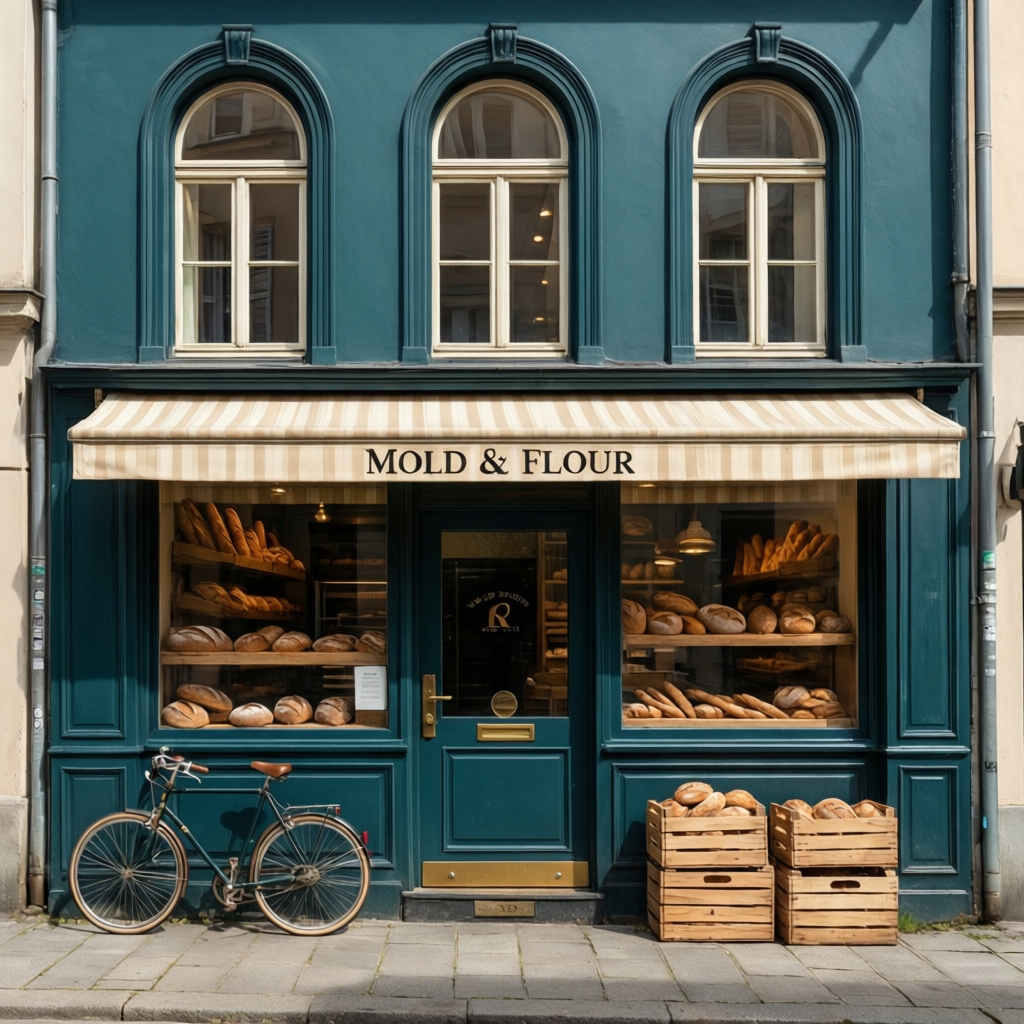
"Straight-on editorial architectural photograph of a tiny artisan bakery named MOLD & FLOUR on a quiet European corner, deep teal facade, arched windows, striped awning, vintage delivery bicycle, sunny spring morning"; qwen-image-2512:q8, 50 steps, seed 251201
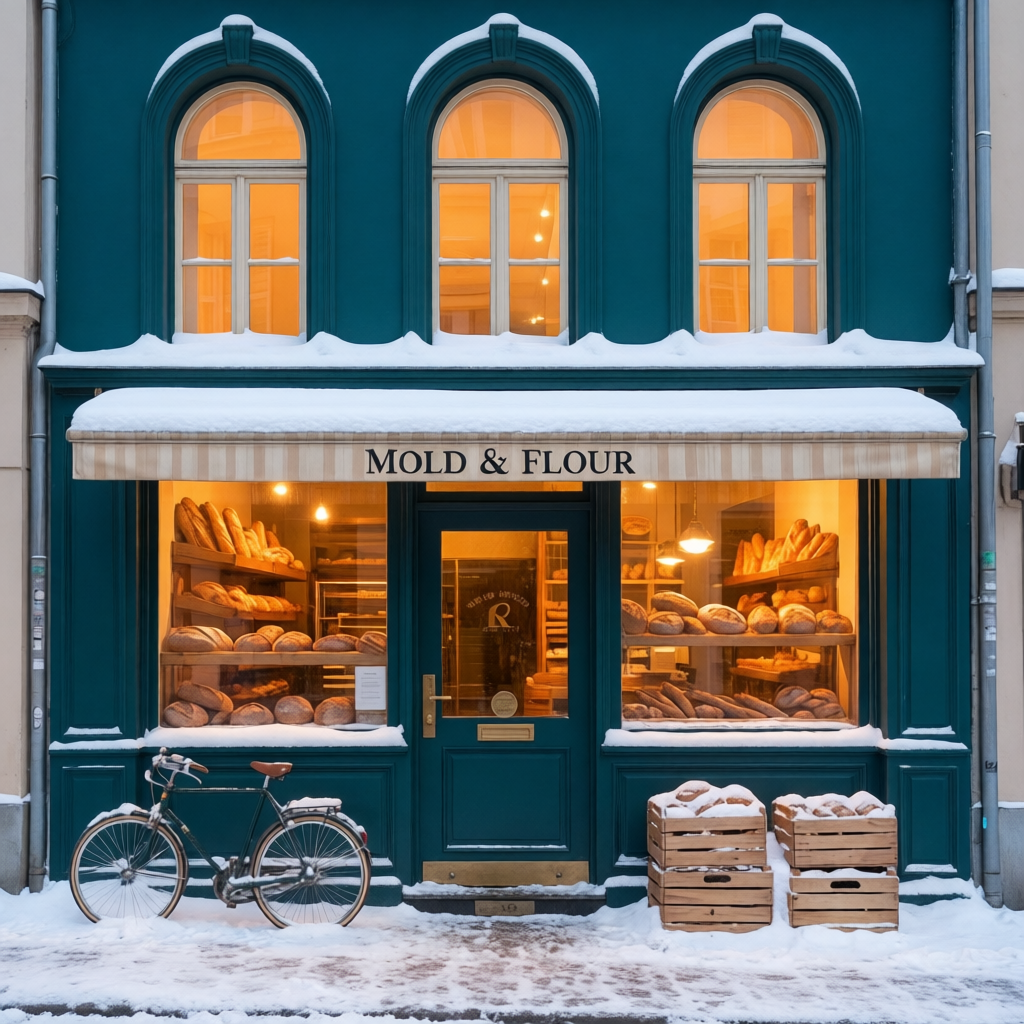
"Change the sunny spring morning into a cozy snowy winter blue hour. Add fresh snow to the exterior and turn on warm interior lights. Preserve the exact teal facade, readable MOLD & FLOUR sign, windows, door, bread displays, bicycle, crates, camera position, geometry, and composition"; qwen-image-edit-2511:q8, 50 steps, seed 251111
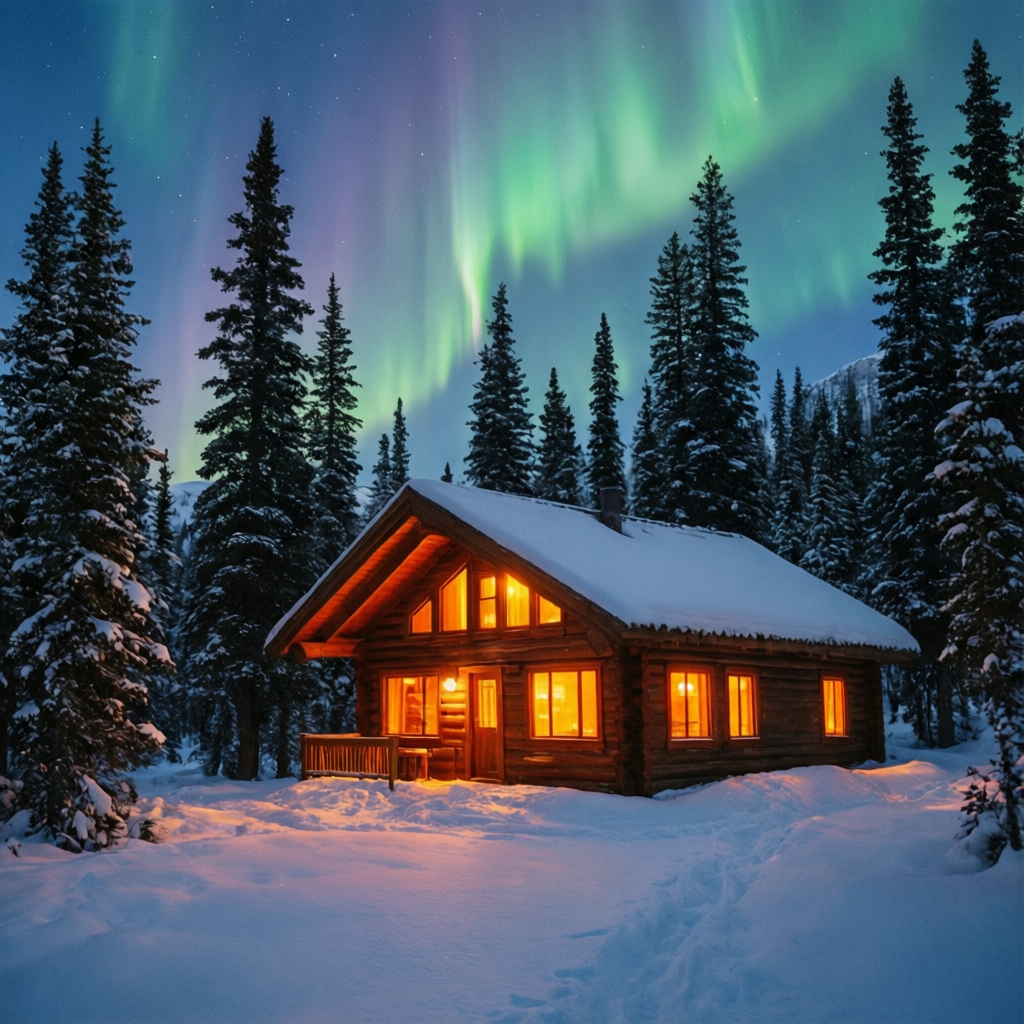 "A snowy mountain cabin at twilight, warm orange light pouring from the windows, aurora borealis in the sky above"; qwen-image-2512:q4, 50 steps, seed 888
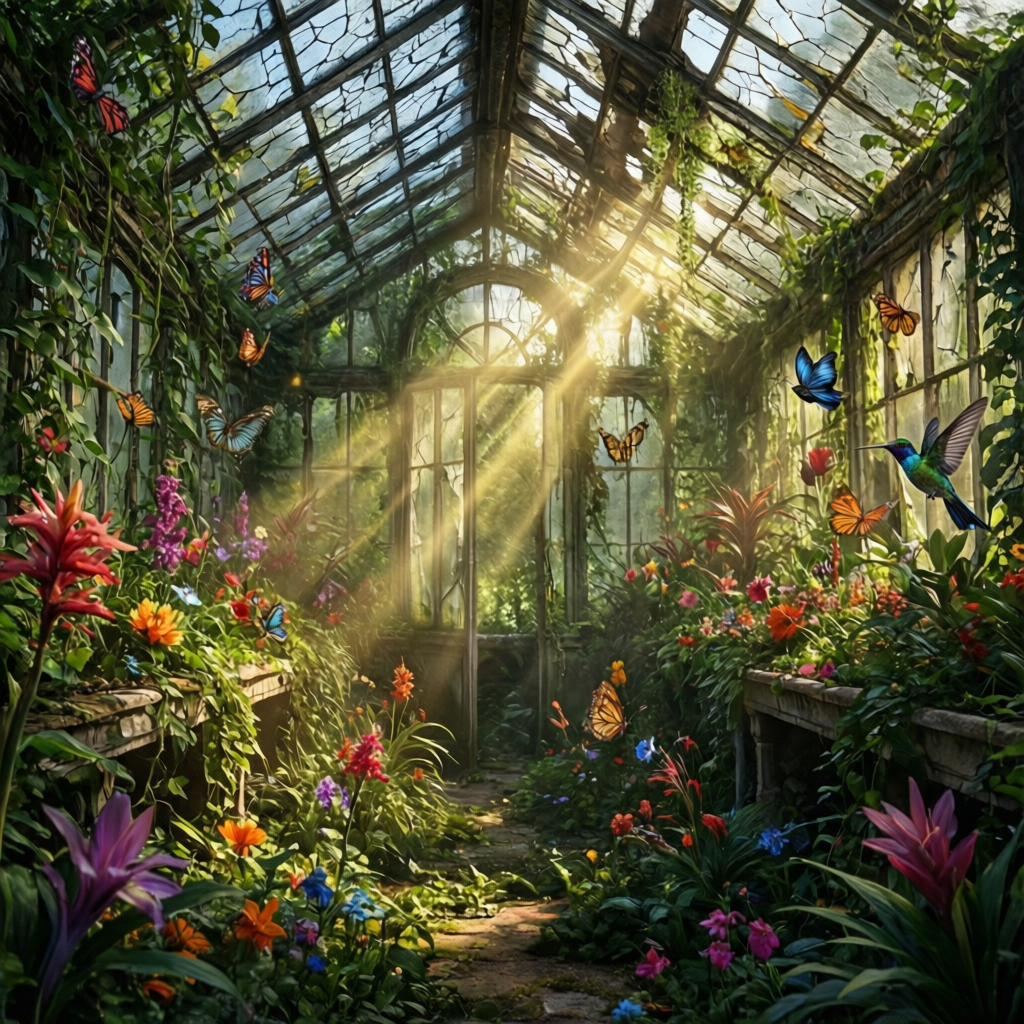 "An abandoned greenhouse overgrown with exotic flowers and vines, cracked glass roof letting in shafts of golden light, butterflies and hummingbirds, lush and magical"; qwen-image-2512:q4, 50 steps, seed 2024
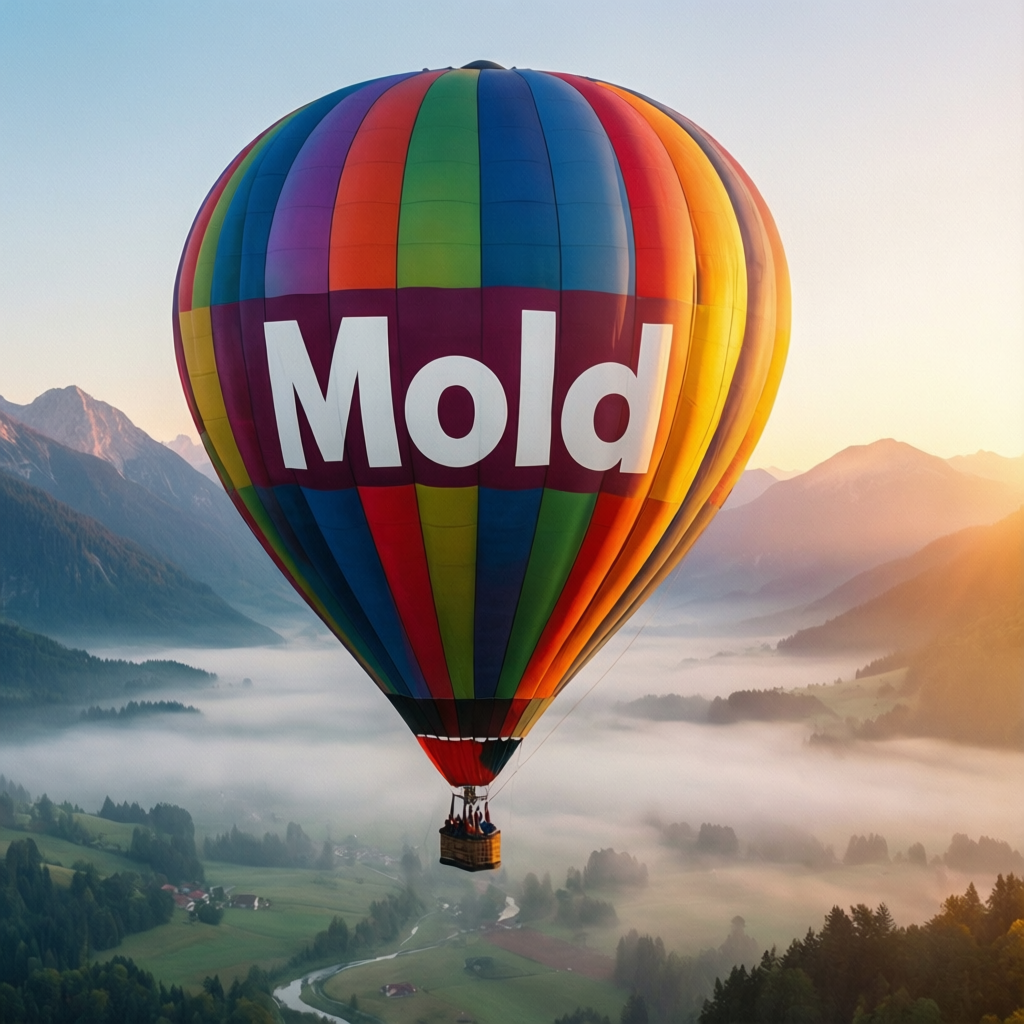 "A colorful hot air balloon floating over a misty valley at sunrise, the balloon has the word MOLD written on the side"; qwen-image-2512:q4, 50 steps, seed 314
- Developer: Alibaba / Qwen Team
- License: Apache 2.0
- Upstream releases: Qwen/Qwen-Image, Qwen/Qwen-Image-2512, Qwen/Qwen-Image-Edit-2511
- GGUF sources: city96/Qwen-Image-gguf, unsloth/Qwen-Image-2512-GGUF, unsloth/Qwen-Image-Edit-2511-GGUF, unsloth/Qwen2.5-VL-7B-Instruct-GGUF
- Few-step distill sources: realrebelai/Qwen_Image_Flash_GGUF (quants of nvidia/Qwen-Image-Flash), QuantStack/Qwen-Image-Distill-GGUF (quants of DiffSynth-Studio's Qwen-Image-Distill-Full), lightx2v/Qwen-Image-Edit-2511-Lightning (official pre-merged 4-step Lightning edit distill)
Stable GGUF Variants
mold supports two quantized Qwen lines:
qwen-image:*uses the baseQwen/Qwen-Imagerelease with GGUF transformers fromcity96/Qwen-Image-ggufqwen-image-2512:*usesQwen/Qwen-Image-2512with GGUF transformers fromunsloth/Qwen-Image-2512-GGUF
The Qwen-Image text encoder itself is also selectable now:
--qwen2-variant auto|bf16|q8|q6|q5|q4|q3|q2--qwen2-text-encoder-mode auto|gpu|cpu-stage|cpu
On Apple Metal/MPS, auto prefers quantized Qwen2.5-VL GGUF text encoders (q6, then q4) to avoid the BF16 text-encoder memory spike. CUDA auto prefers BF16 when enough headroom remains after the transformer load and falls back to quantized GGUF variants when that resident encoder would be too heavy.
Base Qwen-Image
| Model | Steps | Size | Validated On 24 GB | Notes |
|---|---|---|---|---|
qwen-image:q8 | 50 | 21.8 GB | 768x768 | Highest-quality GGUF tier |
qwen-image:q6 | 50 | 16.8 GB | 1024x1024 | Quality/size trade-off |
qwen-image:q5 | 50 | 14.9 GB | 1024x1024 | Dynamic K_M quant |
qwen-image:q4 | 50 | 13.1 GB | 1024x1024 | Stable 24 GB choice |
qwen-image:q3 | 50 | 9.7 GB | 1024x1024 | Lower bitrate, still prompt-faithful |
qwen-image:q2 | 50 | 7.1 GB | 1024x1024 | Smallest published base GGUF |
Qwen-Image-2512
| Model | Steps | Size | Validated On 24 GB | Notes |
|---|---|---|---|---|
qwen-image-2512:bf16 | 50 | 40.9 GB | Larger GPU / offload | Strongest full-precision 2512 tier |
qwen-image-2512:q8 | 50 | 21.8 GB | 768x768 | Highest-quality 2512 GGUF tier |
qwen-image-2512:q6 | 50 | 16.8 GB | 1024x1024 | Quality/size trade-off |
qwen-image-2512:q5 | 50 | 15.0 GB | 1024x1024 | Dynamic K_M quant |
qwen-image-2512:q4 | 50 | 13.2 GB | 1328x1328 | Stable 24 GB choice |
qwen-image-2512:q3 | 50 | 9.9 GB | 1024x1024 | Lower bitrate, still prompt-faithful |
qwen-image-2512:q2 | 50 | 7.3 GB | 1024x1024 | Smallest published 2512 GGUF |
Qwen-Image-Edit-2511
qwen-image-edit-2511:* is the edit-family sibling of Qwen-Image. It uses repeatable --image inputs instead of img2img --strength, supports negative prompts, and targets output dimensions derived from the first input image at roughly 1024x1024 area.
| Model | Steps | Size | Notes |
|---|---|---|---|
qwen-image-edit-2511:q8 | 50 | 21.8 GB | Highest-quality GGUF tier |
qwen-image-edit-2511:q6 | 50 | 16.9 GB | Quality/size trade-off |
qwen-image-edit-2511:q5 | 50 | 15.0 GB | Dynamic K_M quant |
qwen-image-edit-2511:q4 | 50 | 13.2 GB | Stable 24 GB GGUF target |
qwen-image-edit-2511:q3 | 50 | 9.9 GB | Lower bitrate, still relatively small |
qwen-image-edit-2511:q2 | 50 | 7.5 GB | Smallest published edit GGUF |
qwen-image-edit-2511:bf16 | 50 | 40.9 GB | Sharded BF16 edit transformer |
Few-step distilled variants
These are step-distilled merges of the base transformers, so they reuse the same shared VAE / Qwen2.5-VL components and run CFG-free at guidance 1.0.
qwen-image-flash:* also runs its own packaged scheduler (NVIDIA ships use_dynamic_shifting=false, shift=3.0, shift_terminal=null for the four-step trajectory) rather than base Qwen-Image's resolution-dependent schedule. The Distill-Full and Lightning merges are transformer-only exports with no scheduler of their own, so they keep the base contract.
| Model | Steps | Guidance | Size | Notes |
|---|---|---|---|---|
qwen-image-flash:q8 | 4 | 1.0 | 21.8 GB | NVIDIA DMD2 4-step distill of base Qwen-Image |
qwen-image-flash:q4 | 4 | 1.0 | 11.7 GB | Same distill, the 24 GB-friendly tier |
qwen-image-distill:q8 | 15 | 1.0 | 21.8 GB | DiffSynth Distill-Full merge, closer to base fidelity |
qwen-image-distill:q4 | 15 | 1.0 | 13.1 GB | Same merge, the 24 GB-friendly tier |
qwen-image-edit-lightning:fp8 | 4 | 1.0 | 20.4 GB | Official lightx2v 4-step fused Lightning edit distill |
qwen-image-edit-lightning:fp8 is the official pre-merged Lightning edit distill: lightx2v fuses ModelTC's 4-step LoRA into the Edit-2511 transformer and exports ComfyUI-named fp8_scaled weights, which run on the existing FP8 transformer path.
Distillation trade-off
qwen-image-flash:* collapses the schedule to four steps. Dense small text, hair-fine detail, and very complex scenes may degrade against base Qwen-Image. Use qwen-image-distill:* (15 steps) when you want most of the speed-up with more of the base model's fidelity, and base qwen-image:* at 50 steps when the prompt depends on fine text or dense structure.
mold run qwen-image-flash:q4 "your prompt here"
mold run qwen-image-distill:q4 "your prompt here"
mold run qwen-image-edit-lightning:fp8 "make the sky stormy" --image input.png
Lightning LoRAs on a checkpoint you already have
The merges above are whole transformers. The same distillation also ships as a LoRA, which applies the few-step schedule to any Qwen-Image checkpoint already on disk (including a quality tier like :q8) instead of downloading a second ~20 GB transformer. Attach it with the ordinary repeatable --lora flag; there is no separate model entry to pull, because these are user-supplied adapter files rather than checkpoints.
| Adapter | Base line | Steps | Guidance |
|---|---|---|---|
lightx2v/Qwen-Image-Lightning → Qwen-Image-Lightning-4steps-V2.0-bf16.safetensors | qwen-image:* | 4 | 1.0 |
lightx2v/Qwen-Image-Lightning → Qwen-Image-Lightning-8steps-V2.0-bf16.safetensors | qwen-image:* | 8 | 1.0 |
lightx2v/Qwen-Image-2512-Lightning → Qwen-Image-2512-Lightning-4steps-V1.0-bf16.safetensors | qwen-image-2512:* | 4 | 1.0 |
lightx2v/Qwen-Image-2512-Lightning → Qwen-Image-2512-Lightning-8steps-V1.0-bf16.safetensors | qwen-image-2512:* | 8 | 1.0 |
# 8-step Lightning on the Q8 quality tier, CFG-free
mold run qwen-image-2512:q8 "a snowy mountain cabin at twilight" \
  --lora ~/loras/Qwen-Image-2512-Lightning-8steps-V1.0-bf16.safetensors \
  --steps 8 --guidance 1.0

# The 4-step adapter for the base Qwen-Image line
mold run qwen-image:q8 "a hot air balloon over a misty valley" \
  --lora ~/loras/Qwen-Image-Lightning-4steps-V2.0-bf16.safetensors \
  --steps 4 --guidance 1.0
The adapters are authored by ModelTC and published on Hugging Face under lightx2v. Match the adapter's line to the checkpoint's; a 2512 adapter belongs on qwen-image-2512:*, the base adapter on qwen-image:*. Use --guidance 1.0: upstream distils these adapters to run CFG-free, and mold enables classifier-free guidance for any --guidance above 1.0, which runs a second forward pass per step that the adapter was not trained for.
Untested on this family
Mold's LoRA loader has no on-disk Qwen-Image adapter in its test suite, and these recipes are transcribed from the adapters' own upstream documentation rather than verified end-to-end on this engine. Treat the step/guidance values as upstream's, and please report a mismatch.
What the merge costs
Merging a LoRA into a GGUF transformer dequantizes, merges, and re-quantizes every affected tensor across all 60 blocks. Mold fingerprints the merged stack (adapters, their order, and their scales), so a transformer that is still resident is reused when the next request asks for exactly that stack, and rebuilt whenever anything about it changes. Only paths that keep the transformer resident can reuse it; a checkpoint loaded one component at a time, or a render whose VAE decode drops the transformer to free VRAM, pays the merge again on the next request. Block offloading (--offload / MOLD_OFFLOAD=1) refuses LoRAs on this family outright.
Edit Path
qwen-image-edit-2511 runs a real multimodal edit path: Qwen2.5-VL condition images are patchified through the vision tower, source-image latents are packed and concatenated with output-noise tokens, and true CFG uses norm rescaling. Mold follows the upstream edit-plus preprocessing split: each ordered input is normalized to a 1024×1024 pixel area for VAE conditioning and independently to a 384×384 area for Qwen2.5-VL. Studio advertises the 1 MP source ceiling from the model profile, downscales source-matched canvases without changing aspect, and lets the Target use contain, crop, Lanczos resize, or upscale-and-fit before the request is frozen. For CLI and direct API callers, the server independently enforces the 1 MP VAE ceiling while the existing Qwen2.5-VL preprocessor remains the single authority for its 384×384 conditioning area. Quantized --qwen2-variant values are supported for the edit family through a GGUF Qwen2.5 language path plus the staged Qwen2.5-VL vision tower used for image conditioning. On CUDA, quantized edit transformers run true CFG as two passes rather than doubling the packed output-and-conditioning sequence; this is the stable path at non-square resolutions and is used even when extra VRAM is available.
Recommended Stable Quant Paths
On a 24 GB card, qwen-image:q4 and qwen-image-2512:q4 are the safest starting points for native-quality GGUF inference. q6 and q5 also work well at 1024x1024, while q8 is currently validated at 768x768.
mold pull qwen-image:q4
mold run qwen-image:q4 "your prompt here"

mold pull qwen-image-2512:q4
mold run qwen-image-2512:q4 "your prompt here"
Apple Silicon
On Apple Silicon, leave --qwen2-variant unset first. Metal auto will prefer the quantized Qwen2.5-VL text encoder path for Qwen-Image automatically.
mold run qwen-image:q2 "your prompt here" --previewTo compare explicitly:
mold run qwen-image:q2 "your prompt here" --qwen2-variant q6
mold run qwen-image:q2 "your prompt here" --qwen2-variant q4
CUDA local runs
On CUDA, auto keeps BF16 for the Qwen2.5-VL text encoder when there is enough headroom. If not, local one-shot runs use the quantized Q4 GGUF encoder instead of loading the full BF16 text stack on CPU.
Use --qwen2-variant bf16 only when you deliberately want the BF16 comparison.
Defaults
- Resolution: 1328x1328
- Guidance: 4.0
- Steps: 50
On the 24 GB validation machine used for mold development:
q2throughq6were validated at1024x1024q8was validated at768x768qwen-image-2512:q4now completes native1328x1328on 24 GB (~148 s cold on an RTX 4090; CFG runs split above 1024², which measured faster than batching there)
Negative Prompts
Qwen-Image supports negative prompts via --negative-prompt.
For the GGUF quantized paths above, the best prompt adherence came from using no default negative prompt at all. Start without one and only add a negative prompt if you need to push the image away from a specific failure mode.
The upstream Chinese negative prompt is more appropriate for BF16 / FP8 paths:
mold run qwen-image:fp8 "a cat" --negative-prompt "低分辨率,低画质,肢体畸形,手指畸形"WARNING
The upstream Chinese negative prompt can hurt GGUF prompt adherence. Avoid using it by default with qwen-image:q2 through qwen-image:q8 or qwen-image-2512:q2 through qwen-image-2512:q8.
Other Qwen Variants
mold also exposes higher-VRAM Qwen paths such as qwen-image:bf16, qwen-image:fp8, qwen-image-2512:bf16, qwen-image-lightning:fp8 (4 steps, 20.4 GB), and qwen-image-lightning:fp8-8step (8 steps, 20.5 GB). Those are separate from the GGUF quantized matrix above and have different memory and scheduler behavior.
The few-step GGUF distills (qwen-image-flash:{q8,q4}, qwen-image-distill:{q8,q4}, and qwen-image-edit-lightning:fp8) are listed with their steps and sizes under Few-step distilled variants above.
Recommended Dimensions
| Width | Height | Aspect Ratio |
|---|---|---|
| 1328 | 1328 | 1:1 (native) |
| 1664 | 928 | ~16:9 |
| 928 | 1664 | ~9:16 |
| 1472 | 1104 | 4:3 |
| 1104 | 1472 | 3:4 |
| 1584 | 1056 | 3:2 |
| 1056 | 1584 | 2:3 |
Using non-recommended dimensions will trigger a warning. All values must be multiples of 16.