
Diff Viewer
The diff viewer shows you exactly what the agent changed in your codebase, updated in real time as the agent works.
Viewing Changes
Section titled “Viewing Changes”After an agent completes work (or while it’s still running), the diff panel shows all modified files with syntax highlighting, line numbers, and a choice of two layouts:
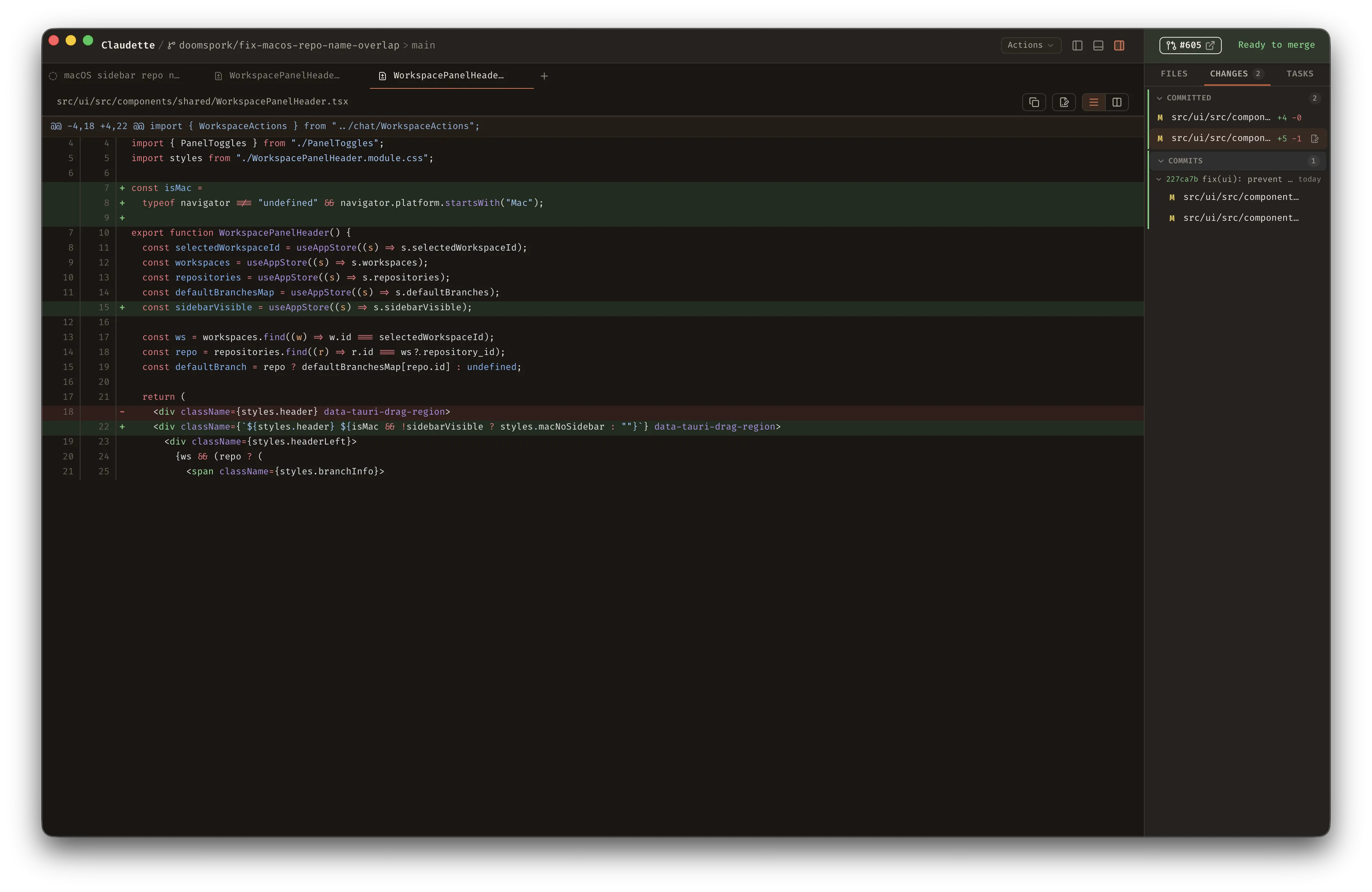
Unified View
Section titled “Unified View”Added lines in green, removed lines in red, displayed as a single column — the classic git diff format.
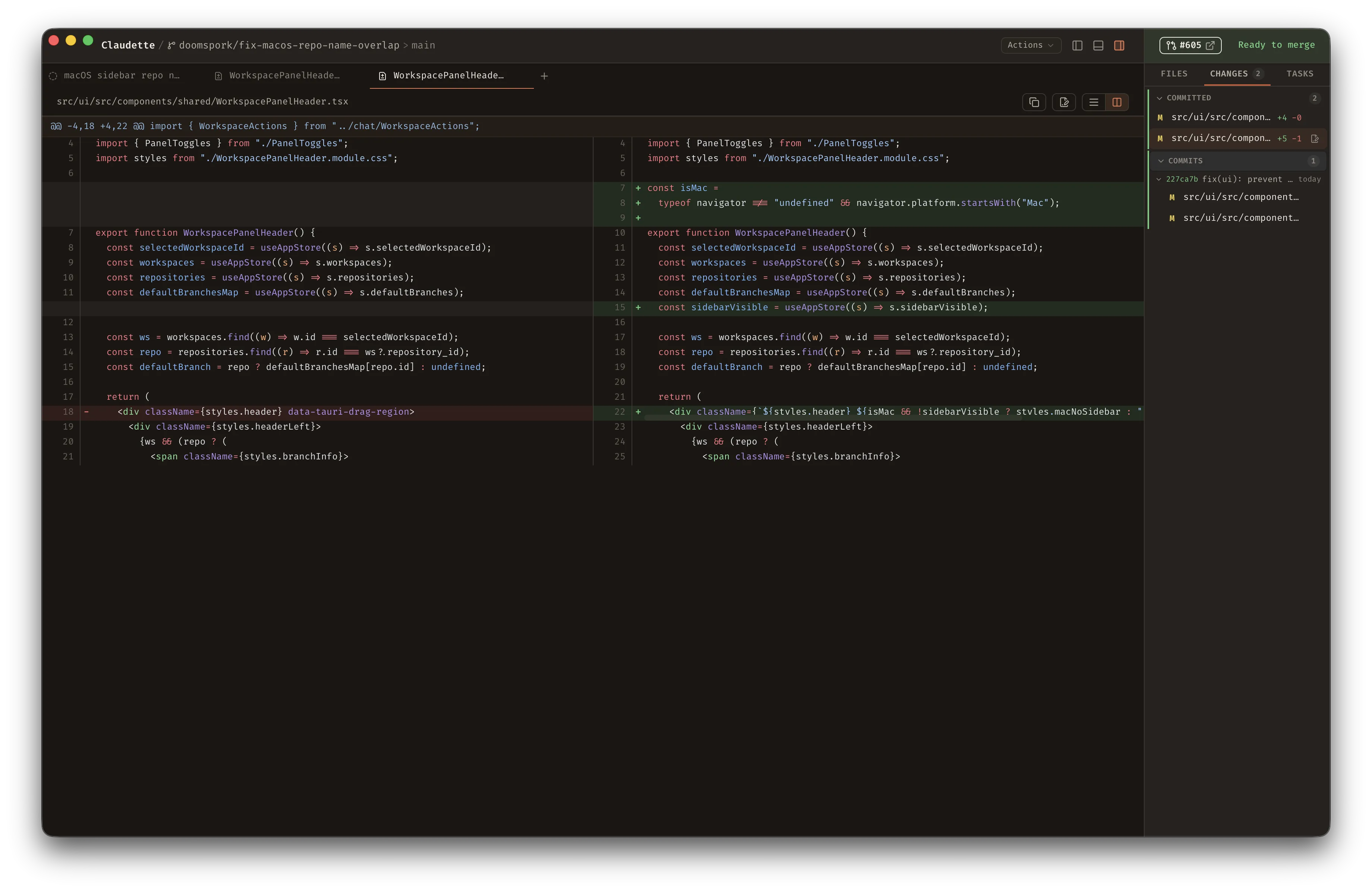
Side-by-Side View
Section titled “Side-by-Side View”The removed version on the left, the added version on the right. Corresponding changed lines are paired on the same row, making it easier to compare before and after at a glance. Toggle between layouts using the toolbar icons in the top-right corner of the diff panel.
Changed Files List
Section titled “Changed Files List”The right sidebar (⌘/Ctrl + D to toggle) displays a list of all files that have been changed in the current workspace. Click any file to jump to its diff.
When the agent edits files, the chat timeline also shows a compact change summary: live edit tool calls include the file path plus added/removed line counts, and the completed turn ends with a collapsible per-file summary card. Click the “N files changed” header to expand the file list, then click any file row to see a lightweight inline diff preview. Open the diff panel for a full review.
Change Groups
Section titled “Change Groups”The changed files list organizes files into collapsible sections, one per git layer:
- Committed — files changed on this branch compared to the base branch
- Staged — files added to the git index (
git add) - Unstaged — tracked files with working tree modifications
- Untracked — new files not yet tracked by git
Each section has a colored left border for quick visual scanning. A file can appear in more than one group — for example, a file with both staged and unstaged changes shows up in both sections. Clicking a file opens the diff for that specific layer, not the combined diff.
How It Works
Section titled “How It Works”Claudette uses separate git operations per layer to build the changed-files list and to render the diff for a selected file. In some cases these are the same base command with different flags, and for untracked files the list and diff steps are different commands entirely:
| Layer | Changed-files list | Per-file diff |
|---|---|---|
| Committed | git diff <merge-base>..HEAD --name-status / --numstat | git diff <merge-base>..HEAD -- <path> |
| Staged | git diff --cached --name-status / --numstat | git diff --cached -- <path> |
| Unstaged | git diff --name-status / --numstat | git diff -- <path> |
| Untracked | git ls-files --others --exclude-standard | git diff --no-index -- /dev/null <path> |
The list updates automatically as the agent writes code, so you can watch changes appear in real time during streaming.