
Internationalization
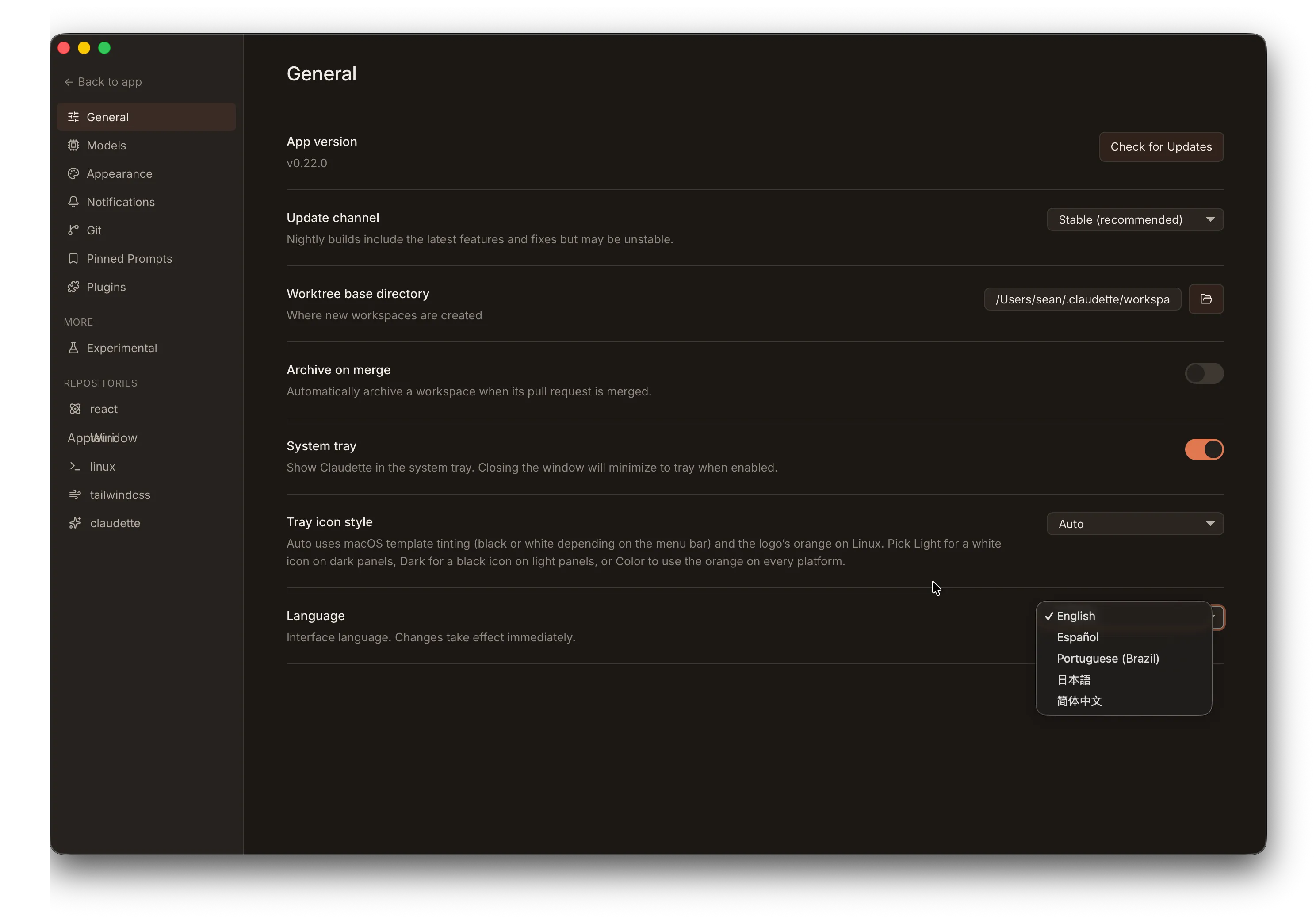
Claudette supports multiple languages out of the box, with runtime language switching and a graceful fallback to English for any keys a translation hasn’t filled in yet.
Supported Languages
Section titled “Supported Languages”The app ships with six languages today:
| Language | Code | Status |
|---|---|---|
| English | en | Complete (baseline) |
| Spanish | es | Complete |
| Brazilian Portuguese | pt-BR | Complete |
| Japanese | ja | Complete |
| Simplified Chinese | zh-CN | Complete |
| German | de | Complete |
Translations cover the full UI (buttons, tooltips, settings, modals, chat, sidebar) plus the system tray menu, native notifications, and the quit-confirm dialog.
Switching Languages
Section titled “Switching Languages”Open Settings > General and pick a language from the Language dropdown. The change applies immediately — you don’t need to restart the app. Anything currently on screen re-renders into the new language as soon as you select it.
Your selection is persisted, so the next time you launch Claudette it’ll come up in the language you picked.
Fallback Behaviour
Section titled “Fallback Behaviour”If a translation hasn’t been filled in for a particular key, Claudette falls back to English for just that string — the rest of the UI stays in your selected language. This means:
- Partial translations are safe to ship — a brand-new language can land covering 80% of strings, and the remaining 20% fall back cleanly to English.
- Updates to the English source can land before the other languages catch up — users on
jaorzh-CNwill see a few English strings until the next translation pass, but nothing breaks.
No Automatic OS-Locale Detection
Section titled “No Automatic OS-Locale Detection”Claudette currently defaults to English on first launch and asks you to pick a language manually in Settings. We don’t auto-detect from the OS locale today — if you’d like that behaviour, please open an issue.
Languages by Subsystem
Section titled “Languages by Subsystem”Translations are split across two locations in the codebase:
- Frontend strings (the React UI) live in
src/ui/src/locales/<lang>/and are split across five namespaces:common,chat,modals,settings,sidebar. - Tray, notification, and quit-dialog strings live in
src/locales/<lang>/tray.json(Rust side).
Both sides use the same {{name}} placeholder syntax for dynamic values.
Want to Add or Improve a Translation?
Section titled “Want to Add or Improve a Translation?”Translations are one of the highest-impact contributions to Claudette — and you don’t need to know Rust or TypeScript to help. See the Contributing Translations guide for the full workflow: how to claim a language, how locale files are structured, the small registration step that wires a new language into the app, and the parity check CI runs on the tray strings.
Typo fixes and wording polish in existing languages are even simpler — just edit the JSON file and open a PR.