
Parallel Agents
Claudette’s core feature is the ability to run multiple Claude Code agents at the same time, each working in complete isolation.
How It Works
Section titled “How It Works”Each workspace in Claudette runs its own Claude Code subprocess. When you create a new workspace:
- A git worktree is created on a new branch
- A dedicated Claude Code agent session starts in that worktree
- The agent has full access to the worktree’s files but is completely isolated from other workspaces
This means you can have one agent building a new feature, another fixing a bug, and a third writing tests — all at the same time, all in the same repository, with zero conflicts.
Your First Workspace
Section titled “Your First Workspace”When the Dashboard has no active workspaces — typically the moment after you add your first repository — Claudette shows a welcome card instead of an empty grid. The card highlights your most recently used project as the suggested target and exposes:
- A Create Workspace button that spins up a new workspace in the suggested project
- An Add Repository… button (the same picker as the sidebar
+) - A list of all your local projects — clicking any row creates a workspace in that repo
If you don’t have any repositories yet, the welcome card collapses to a single Add Your First Repository… action so the first-run path stays obvious.
Project-scoped view
Section titled “Project-scoped view”Click any project header in the sidebar (or, with the sidebar in group-by-repo mode, press ⌘/Ctrl + 1 – ⌘/Ctrl + 9 to jump to the Nth project) to open a project-scoped view: a card pre-targeted at that project, with the project’s existing workspaces listed beneath it. Selecting a workspace from there leaves the project view; the Dashboard button in the toolbar (top-left) returns to the global view.
The project-scoped view replaces the previous behavior where the project-jump shortcut was a no-op for projects with no workspaces — first-run users now have a discoverable landing pad for any project they jump to.
In group-by-status mode the same ⌘/Ctrl + 1 – ⌘/Ctrl + 9 shortcut jumps directly to the Nth visible workspace instead — counting top-to-bottom through the status buckets and skipping any rows inside a collapsed group. Hold ⌘/Ctrl to see the position badges (1–9) overlaid on the rows they target.
Empty-tabs view inside a workspace
Section titled “Empty-tabs view inside a workspace”If you close every tab inside a workspace (chat sessions, diff tabs, file tabs), the workspace switches to a similar No open tabs card. Press ⌘/Ctrl + T (or click the + in the tab strip) to open a fresh chat session — the workspace itself stays running, only its tabs were closed.
After creating a workspace
Section titled “After creating a workspace”Newly created workspaces always appear under an expanded project group in the sidebar — Claudette force-expands the parent on creation so a fresh workspace is never hidden inside a collapsed group.
Creating Parallel Workspaces
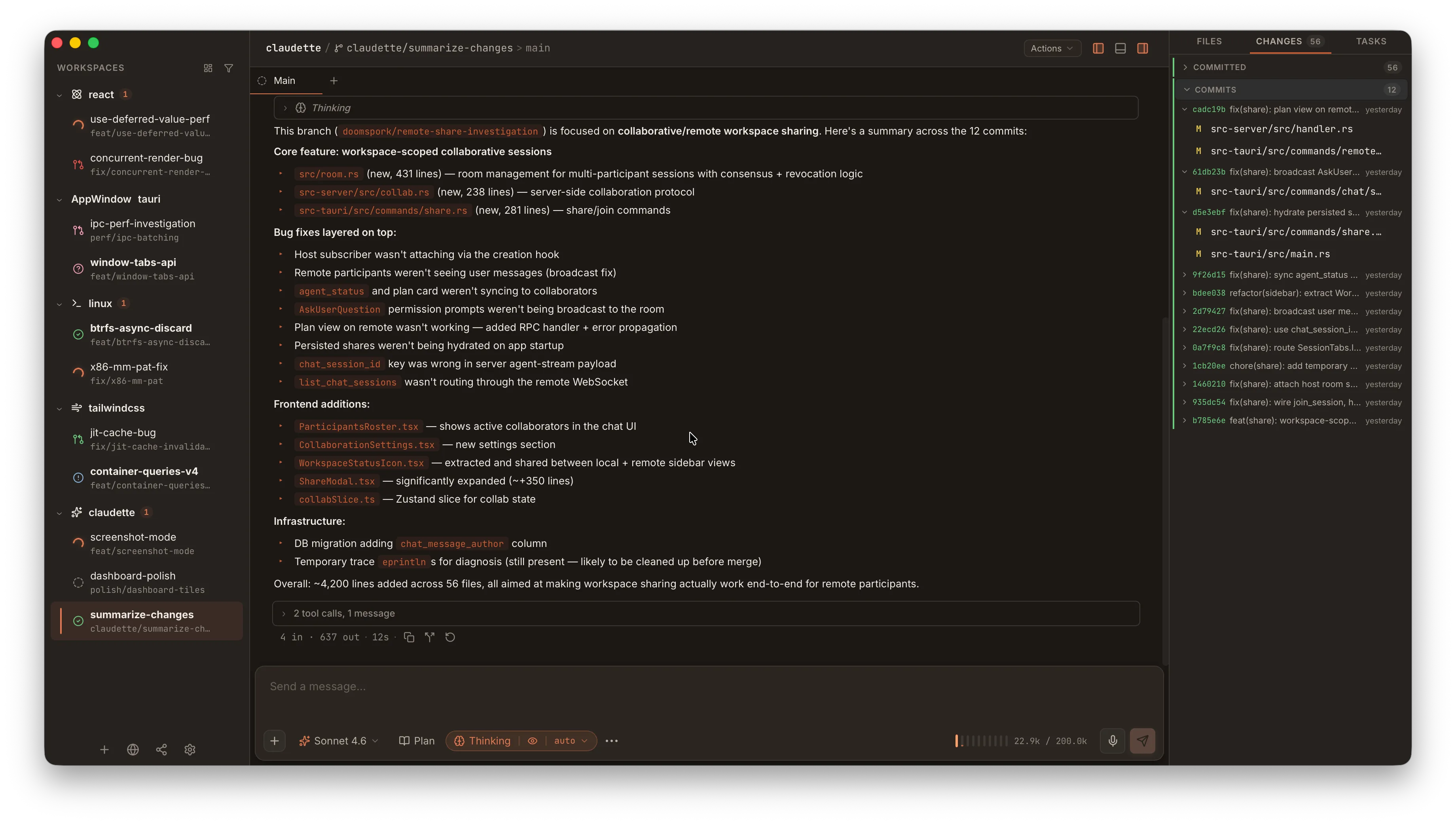
Section titled “Creating Parallel Workspaces”Click the + button next to any repository in the sidebar to create a new workspace. Each workspace appears as a separate entry under the repo, with its own:
- Chat session
- Terminal tabs
- Diff view
- Branch name
Switching Between Workspaces
Section titled “Switching Between Workspaces”- Click a workspace in the sidebar to switch to it
- Fuzzy finder:
⌘/Ctrl + Kto quickly search and jump to any workspace - Project / workspace jump:
⌘/Ctrl + 1–⌘/Ctrl + 9jumps straight to the Nth project (repository) when the sidebar is grouped by repo, or to the Nth visible workspace when it’s grouped by status - Cycle the tab strip:
⌘/Ctrl + Shift + [and⌘/Ctrl + Shift + ]move one slot left/right through the unified tab strip (workspace tabs, chat sessions, diffs, file tabs) — useful when you want to flip between open tabs rather than projects
Agent Lifecycle
Section titled “Agent Lifecycle”Each agent session has a lifecycle:
- Running — the agent is actively processing a prompt (shown with a status indicator in the sidebar)
- Idle — the agent is waiting for your next prompt
- Stopped — the session has ended; send a new message to restart it
Press Escape to stop a running agent at any time.
When an agent mentions a workspace file such as README.md or src/main.rs in the chat transcript, click it to open that file in Claudette’s editor tab. Absolute paths in inline code, such as /tmp/report.csv, can also be clicked; Claudette opens them with your system’s default app when they are outside the current workspace. Web links in the transcript still open in your default browser.
Workspace Context Menu
Section titled “Workspace Context Menu”Use the opener in the workspace header to launch the current worktree in a detected editor, file manager, terminal, or IDE. The primary button uses the detected app’s native icon and opens the first preferred app; the chevron shows the app list and a copy-path action. JetBrains IDEs such as IntelliJ IDEA, PyCharm, PhpStorm, WebStorm, DataGrip, DataSpell, GoLand, CLion, Rider, RubyMine, RustRover, Aqua, Fleet, and Writerside are detected from the standard app install plus JetBrains Toolbox launcher scripts.
If you have a lot of apps installed, Settings > Apps > Open-in menu lets you choose which ones appear directly in the menu (and reorder them) — the rest fold into a More flyout at the bottom of the list. New apps detected later are added under More once you’ve customized the list; Reset to default restores the full list.
The sidebar workspace menu’s Open in Terminal action uses the detected terminal list too. Configure Settings > Apps > Default terminal to pin Ghostty, iTerm2, Alacritty, Warp, or another detected terminal; leave it on Auto to use the first detected terminal.
Right-click any workspace in the sidebar for quick actions: rename, archive, copy the worktree path, open the worktree in your file manager, and so on.
Setup and Archive Scripts
Section titled “Setup and Archive Scripts”A workspace can run a script when it’s created and another when it’s archived. Use these for project-specific provisioning that the agent shouldn’t have to do every time:
- Setup script — runs once after the worktree is created. Good for
bun install,pnpm install,cargo fetch,nix develop --build— anything that primes the dev environment. - Archive script — runs once before the worktree is removed. Good for cleanup of side-effect resources (Docker volumes, ngrok tunnels, etc.).
Configure them per repository in Settings > Repository > Setup scripts / Archive scripts. See Per-Repo Settings for the full schema.
While a setup script runs, the new workspace’s chat transcript shows a “running” entry with a spinner and an elapsed-seconds counter (a bun install can take 10-20s). When it finishes, the result appears as a collapsed chip you can click to expand the full log. A run that fails or times out is highlighted, expanded automatically, and raises a toast so you don’t miss it scrolling past.
Fanning Out from the CLI
Section titled “Fanning Out from the CLI”The flagship use case for the claudette CLI: a phase-of-work plan that creates N workspaces and dispatches a prompt to each.
repository: my-repodefaults: model: sonnetworkspaces: - name: builtins-tsx prompt_file: ./prompts/43-builtins.md - name: shell-rs prompt_file: ./prompts/44-shell.md model: opus - name: validator prompt: "Add input validation tests"claudette batch validate plan.yaml # Lint without creatingclaudette batch run plan.yaml # Create + dispatchThe CLI talks to the running desktop app, so the new workspaces appear in the sidebar and start their agents immediately. For agent-driven fan-outs (a “main” Claude Code session orchestrating worker agents inside Claudette workspaces), install the Claudette skill — it pre-grants the agent permission to invoke claudette directly.